In an era where internet privacy, regional restrictions, and network filtering continue to shape how people access the web, free proxy websites remain a practical solution for millions of users. Whether you’re trying to view a geo-restricted webpage, access a website blocked on a public Wi-Fi network, or browse with an extra layer of anonymity, a web proxy can often provide a quick answer without requiring software installation.
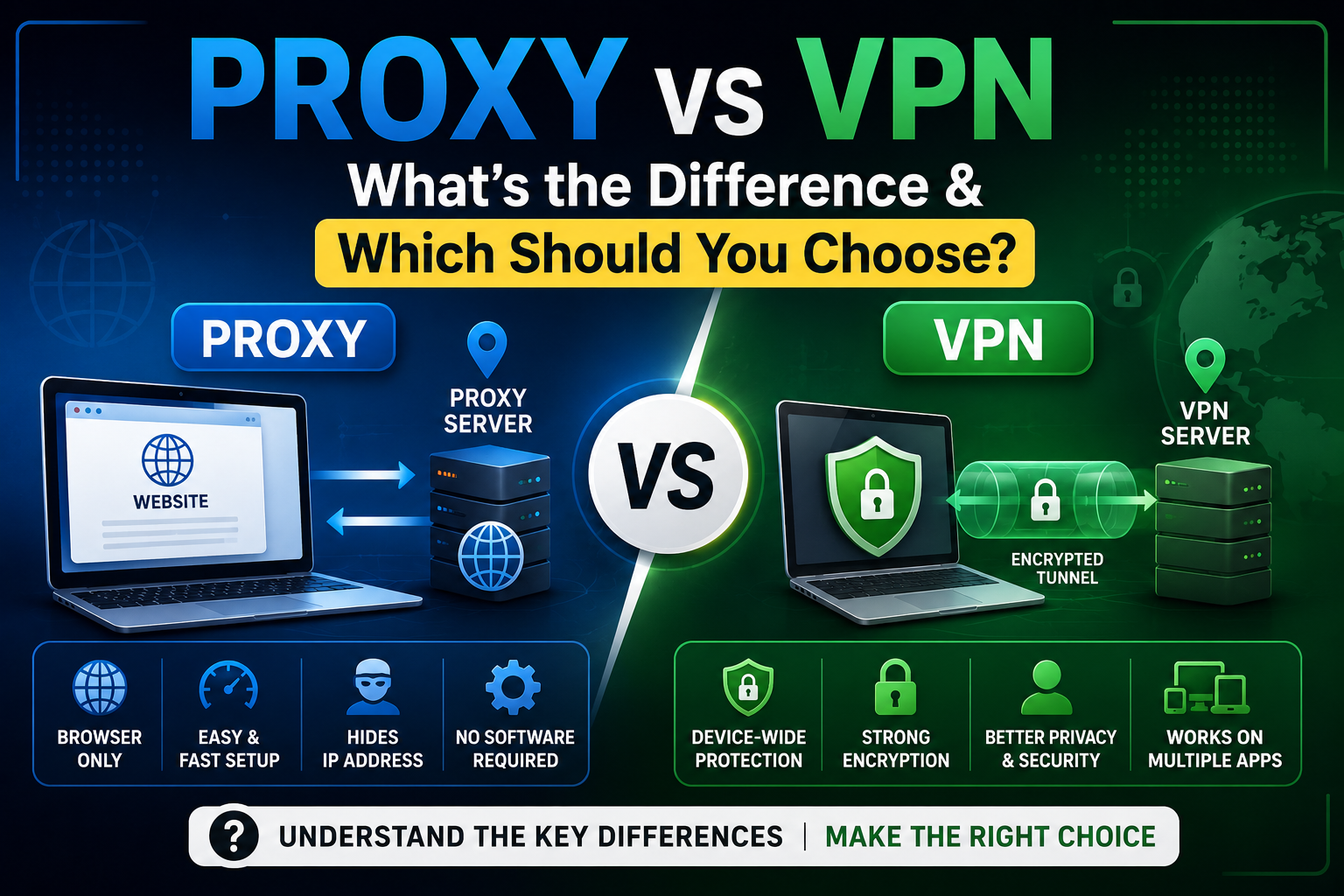
Unlike a VPN, which routes all of your internet traffic through an encrypted tunnel, a web proxy typically works directly inside your browser. That makes it fast, convenient, and ideal for one-off browsing sessions. However, not all proxy websites offer the same level of privacy, speed, or reliability.
This guide compares five popular free proxy services based on publicly available features, ease of use, security practices, and overall browsing experience. Rather than simply listing websites, we’ll examine where each service performs well, where it falls short, and which users are likely to benefit most.
Note: This review is based on publicly available information and general characteristics of these services. Features and availability may change over time.
Quick Comparison
| Proxy | Free Version | HTTPS Support | Speed | Registration | Ads | Best For |
|---|---|---|---|---|---|---|
| BlueProxy | Yes | Yes | Fast | No | Minimal | General anonymous browsing |
| ProxySite | Yes | Yes | Fast | No | Moderate | Accessing blocked websites |
| CroxyProxy | Yes | Yes | Good | No | Moderate | Social media & video sites |
| Hide.me Web Proxy | Yes | Yes | Good | No | Minimal | Privacy-conscious users |
| KProxy | Yes | Yes | Moderate | Optional | Moderate | Basic web browsing |
1. BlueProxy – Best for Everyday Anonymous Browsing
Among today’s free browser-based proxy services, BlueProxy offers one of the simplest experiences for users who want quick, anonymous access to websites without installing additional software. Instead of overwhelming users with technical settings, the platform focuses on making proxy browsing straightforward.
For students, travelers, remote workers, and everyday internet users, that simplicity can be a significant advantage.
Overview
BlueProxy is designed as a browser-based proxy that allows users to visit websites while masking their original IP address from the destination website. Because it runs directly in a browser, users can start browsing almost immediately without creating an account or downloading an application.
Its interface is clean and uncomplicated, making it suitable even for people who have never used a proxy before.
Key Features
- Browser-based access
- No software installation
- HTTPS website support
- No registration required
- Simple user interface
- Compatible with desktop and mobile browsers
- Quick website loading for standard browsing
Advantages
Easy to Use
One of BlueProxy’s strongest qualities is its accessibility. Many proxy websites bury users under configuration options, while BlueProxy keeps the experience simple.
A user only needs to:
- Open the website
- Enter the destination URL
- Begin browsing
This reduces friction for first-time users.
No Account Required
Privacy starts with collecting less information.
BlueProxy allows users to browse without creating an account, which is particularly useful for people who want occasional anonymous access without sharing personal details.
Browser-Based Convenience
Unlike VPN applications, browser proxies require no installation.
This makes BlueProxy useful when:
- Using public computers
- Working on restricted office devices
- Accessing websites from school networks (where permitted)
- Browsing on devices without administrator privileges
Good Everyday Performance
For standard browsing tasks—such as reading articles, accessing documentation, checking forums, or viewing public websites—the browsing experience is generally smooth.
Performance naturally depends on network congestion and the destination website, but browser proxies often provide acceptable speeds for lightweight browsing.
Limitations
BlueProxy is still a browser proxy rather than a full VPN.
That means users should understand its limitations:
- It does not encrypt all device traffic.
- Applications outside the browser remain unaffected.
- It is not intended for torrenting.
- It should not replace enterprise security solutions.
- Sensitive activities such as online banking are generally better performed over trusted direct connections or a reputable VPN.
Best Use Cases
BlueProxy works well for users who need:
- Anonymous browsing
- Access to publicly available blocked websites
- Temporary IP masking
- Reading geo-restricted news pages
- Quick browsing without software installation
- Testing website accessibility from another IP
Performance
Because web proxies rely on intermediary servers, performance depends on factors such as server load, user location, and the destination website.
In general, BlueProxy appears well suited for:
- Text-heavy websites
- Documentation
- Blogs
- Forums
- News sites
Users streaming high-definition video or transferring large files may experience slower performance than with dedicated VPN services.
Security
BlueProxy supports HTTPS websites, which helps protect traffic between the proxy and many destination sites that use HTTPS. However, users should understand that a web proxy does not provide the same level of comprehensive device protection as a VPN.
As with any proxy service, avoid transmitting highly sensitive information unless you fully understand the service’s privacy practices and trust the provider.
Privacy
BlueProxy does not require mandatory registration for basic browsing, which reduces the amount of personal information users need to provide.
Before using any proxy service, it is still good practice to review the provider’s privacy policy to understand how connection logs or usage data may be handled.
Mobile Compatibility
BlueProxy works through standard mobile browsers, making it convenient on both Android and iOS devices without requiring app installation.
Pricing
BlueProxy offers a free web proxy service. Users should consult the provider’s official website for the latest information regarding any premium features or subscription options.
Expert Verdict
BlueProxy stands out for users seeking a simple, browser-based proxy for everyday browsing tasks. Its clean interface, no-registration approach, and ease of use make it a practical option for occasional anonymous browsing and accessing publicly available websites. Users with more demanding privacy or security requirements should consider a reputable VPN instead.
2. ProxySite – Best for Fast Access to Blocked Websites
ProxySite has been one of the more recognizable names in the free web proxy space for years. It focuses on providing quick access to websites that may be restricted by local network policies or regional filters. With multiple server locations and a straightforward interface, it remains a popular option for users who need occasional anonymous browsing without installing additional software.
Overview
ProxySite is a browser-based proxy that routes web traffic through its servers, allowing users to browse supported websites while masking their original IP address. Its interface is intentionally minimal—enter a URL, select a server (when available), and begin browsing.
Unlike some browser proxies that struggle with modern websites, ProxySite generally handles standard web pages efficiently.
Key Features
- Free browser-based proxy
- HTTPS website support
- Multiple server locations
- No registration required
- Mobile-friendly interface
- Simple one-click browsing
Advantages
Fast Setup
Users can start browsing within seconds without downloading software or creating an account.
Multiple Proxy Servers
Depending on availability, users may choose from different server locations, which can improve accessibility or browsing performance for certain websites.
Good Website Compatibility
ProxySite generally works well with:
- News websites
- Blogs
- Forums
- Educational resources
- Public documentation
Beginner Friendly
Its simple interface makes it suitable for users unfamiliar with proxy technology.
Limitations
- Advertisements appear on the free version.
- Performance may vary during peak traffic.
- Some streaming platforms actively detect and block proxy traffic.
- It is not intended for torrenting or enterprise-level privacy.
Best Use Cases
ProxySite is well suited for:
- Reading blocked news websites
- Accessing documentation
- Casual anonymous browsing
- Public Wi-Fi browsing
- Temporary IP masking
Performance
For lightweight browsing, ProxySite generally provides responsive page loading. Image-heavy websites and multimedia content may load more slowly depending on server load and network conditions.
Security
HTTPS websites are supported, helping protect traffic to compatible destinations. However, users should remember that a browser proxy does not replace end-to-end device security.
Privacy
Since registration is not required, users can browse anonymously without creating an account. Reviewing the provider’s privacy policy remains good practice before transmitting sensitive information.
Supported Websites
ProxySite is commonly used with:
- Search engines
- Blogs
- Documentation websites
- News portals
- Educational websites
Compatibility with streaming or social platforms can change as those services update their anti-proxy measures.
Mobile Compatibility
Works through most modern mobile browsers without requiring installation.
Pricing
A free version is available. Premium options may provide additional features depending on the provider’s current offerings.
Expert Verdict
ProxySite remains a dependable choice for users who want fast, uncomplicated access to publicly available websites through a browser-based proxy. Its ease of use makes it an excellent option for occasional browsing.
3. CroxyProxy – Best for Dynamic and Interactive Websites
Unlike many traditional proxy websites that primarily work well with static pages, CroxyProxy is designed to improve compatibility with modern web applications. This makes it particularly useful for websites that rely heavily on JavaScript and interactive content.
Overview
CroxyProxy functions as a browser proxy capable of rendering many modern websites without requiring browser extensions or software installation.
Its focus on compatibility makes it appealing to users who browse dynamic websites more frequently.
Key Features
- Browser-based proxy
- HTTPS support
- JavaScript compatibility
- No account required
- Mobile support
- Simple interface
Advantages
Better Handling of Interactive Websites
Compared with many basic proxies, CroxyProxy often performs better on websites that rely on JavaScript.
Easy to Access
No software installation is necessary.
Cross-Platform Support
Works on:
- Windows
- macOS
- Linux
- Android
- iPhone
- Tablets
Suitable for Casual Users
The interface remains approachable for beginners.
Limitations
- Free version contains advertisements.
- Performance depends on server load.
- Not every interactive website functions perfectly.
- High-bandwidth activities may experience reduced performance.
Best Use Cases
CroxyProxy is useful for:
- Interactive websites
- Social networking pages (where supported)
- Educational resources
- Reading online articles
- General anonymous browsing
Performance
CroxyProxy generally performs well on standard browsing tasks while offering improved compatibility with modern websites compared to many traditional web proxies.
Security
Supports HTTPS connections where available. Users should still avoid transmitting highly sensitive information through any free proxy service.
Privacy
Anonymous browsing is available without mandatory registration. Users should consult the provider’s privacy documentation for current data handling practices.
Supported Websites
Commonly used for:
- Blogs
- Documentation
- News
- Educational websites
- Some interactive platforms
Actual compatibility depends on each destination website.
Mobile Compatibility
Excellent browser compatibility across Android and iOS devices.
Pricing
A free version is available alongside premium offerings with additional capabilities.
Expert Verdict
CroxyProxy is an attractive option for users who frequently visit modern websites that depend on JavaScript and interactive elements. Its compatibility gives it an advantage over many traditional browser proxies.
4. Hide.me Web Proxy – Best for Privacy-Conscious Users
Hide.me is well known in the VPN industry, and it also offers a free browser-based proxy designed for users who need occasional anonymous browsing without installing software.
Overview
Unlike some standalone proxy websites, Hide.me benefits from being operated by an established privacy-focused company. Its web proxy is intended for lightweight browsing rather than comprehensive online security.
Key Features
- Browser-based proxy
- HTTPS support
- No registration
- Clean interface
- Mobile compatible
Advantages
Strong Privacy Reputation
Hide.me has built recognition through its VPN service, which may provide additional confidence for users seeking a privacy-focused provider.
Easy Navigation
The interface is uncluttered and beginner friendly.
Quick Browsing
Users can access supported websites without installation or registration.
Limitations
- Browser-only protection
- Limited compared with the full VPN
- Not designed for high-bandwidth activities
- Some websites may block proxy traffic
Best Use Cases
Ideal for:
- Reading articles
- Public Wi-Fi browsing
- Anonymous searches
- Occasional proxy usage
Performance
Performance is generally suitable for normal web browsing and reading content. As with any shared free proxy, speed can fluctuate depending on demand.
Security
Supports HTTPS browsing while emphasizing secure browser sessions. Device-wide encryption requires the provider’s VPN rather than the web proxy.
Privacy
Hide.me’s focus on privacy is one of its strongest differentiators, though users should always review the latest privacy policy for service-specific details.
Supported Websites
Works well with:
- Blogs
- Documentation
- News sites
- Educational resources
Mobile Compatibility
Accessible through modern mobile browsers.
Pricing
Free web proxy available. Paid VPN plans offer expanded privacy and security features.
Expert Verdict
Hide.me Web Proxy is a solid option for users who value simplicity and prefer a provider with an established presence in the privacy market.
5. KProxy – Best for Basic Anonymous Browsing
KProxy has been available for many years and remains one of the better-known names in browser-based proxy services. It offers multiple ways to connect, including its web interface and browser extensions.
Overview
KProxy focuses on providing anonymous web browsing with minimal setup. Its long-standing presence has made it familiar to many users seeking quick access to blocked websites.
Key Features
- Free browser proxy
- Browser extension available
- HTTPS support
- No software required for web version
- Mobile compatible
Advantages
Long Market Presence
KProxy has served users for many years, giving it broad recognition within the proxy community.
Multiple Access Options
Users can choose between:
- Browser proxy
- Browser extension
- Additional client options (where available)
Easy Setup
The browser version requires only entering a destination URL.
Limitations
- Free usage limitations may apply.
- Advertisements are present.
- Speeds may decrease during busy periods.
- Streaming compatibility varies.
Best Use Cases
KProxy works well for:
- Casual anonymous browsing
- Reading blocked websites
- Educational research
- Quick IP masking
Performance
General browsing performance is acceptable for standard websites, although premium alternatives typically provide more consistent speeds.
Security
HTTPS support is available, but users should remember that browser proxies do not provide complete device protection.
Privacy
Anonymous browsing is available without mandatory registration for the web version. Users should review current privacy documentation before relying on any proxy for sensitive tasks.
Supported Websites
Suitable for:
- Blogs
- Search engines
- Documentation
- Public information websites
Mobile Compatibility
Works through mobile browsers and offers flexibility across different devices.
Pricing
Free version available, with premium options providing additional servers and fewer usage restrictions.
Expert Verdict
KProxy remains a practical solution for users seeking a familiar and straightforward browser proxy. While newer services may offer a more modern interface or additional features, KProxy continues to serve casual browsing needs effectively.
Overall Comparison After Evaluation
| Rank | Proxy | Best For | Strength |
|---|---|---|---|
| 1 | BlueProxy | Everyday anonymous browsing | Clean interface, ease of use, no registration |
| 2 | ProxySite | Accessing blocked websites | Fast browsing, multiple server options |
| 3 | CroxyProxy | Modern interactive websites | Better JavaScript compatibility |
| 4 | Hide.me Web Proxy | Privacy-conscious users | Reputable privacy-focused provider |
| 5 | KProxy | Basic anonymous browsing | Long-standing service with multiple access methods |
How We Evaluated These Free Proxy Sites
Choosing a free proxy isn’t just about finding a website that loads another website. The quality of a proxy depends on several factors, including speed, privacy practices, compatibility, and ease of use. For this comparison, we focused on criteria that matter most to everyday users and IT professionals alike.
Note: The observations below are based on publicly available documentation, service features, and general characteristics of browser-based proxy services. Actual performance can vary depending on your location, internet connection, server load, and the websites you access.
1. Speed
A useful proxy should load web pages without excessive delays. We considered:
- Initial page load times
- General browsing responsiveness
- Performance with image-heavy websites
- Consistency during normal browsing
Because free proxies often use shared infrastructure, speeds may fluctuate during peak usage hours.
2. HTTPS Support
HTTPS is essential for protecting data between the browser and websites that support encrypted connections. We looked for proxies that:
- Support HTTPS websites
- Handle secure connections properly
- Display security warnings appropriately
It’s important to remember that HTTPS support alone does not make a proxy equivalent to a VPN.
3. Website Compatibility
Modern websites use JavaScript, dynamic content, cookies, and advanced security measures. We evaluated how well each proxy generally supports:
- Search engines
- News websites
- Blogs
- Educational platforms
- Documentation websites
- Dynamic web applications
Some websites actively detect and block proxy traffic, so compatibility can change over time.
4. Ease of Use
Many users simply want to open a website and begin browsing. We favored services that offer:
- Clean interfaces
- Minimal setup
- No software installation
- No mandatory account creation
- Mobile-friendly layouts
5. Privacy
Privacy policies vary between providers. We considered:
- Whether registration is required
- Transparency about data handling
- Availability of privacy information
- General trustworthiness of the service
Users should always review the latest privacy policy before using any proxy service.
6. Advertisements
Most free proxies are funded through advertising. We looked at:
- Ad placement
- Intrusiveness
- Impact on usability
Reasonable advertising is common, but excessive ads can affect the browsing experience.
7. Reliability
A proxy is only useful if it’s consistently available. We considered:
- General service availability
- Stability during browsing
- Ease of connecting to supported websites
8. Mobile Experience
With more users browsing from smartphones and tablets, we also evaluated:
- Mobile browser compatibility
- Responsive interface
- Ease of navigation
- Touch-friendly design
Proxy vs VPN: What’s the Difference?
Although people often use the terms interchangeably, proxies and VPNs serve different purposes. Understanding these differences helps you choose the right tool.
| Feature | Web Proxy | VPN |
|---|---|---|
| Covers Entire Device | ❌ No | ✅ Yes |
| Browser-Based | ✅ Yes | ❌ Usually No |
| Software Installation | Usually Not Required | Usually Required |
| Encrypts All Traffic | ❌ No | ✅ Yes |
| IP Address Masking | ✅ Yes | ✅ Yes |
| Works with Apps | ❌ Browser Only | ✅ Yes |
| Suitable for Sensitive Activities | Limited | Better Suited |
| Cost | Often Free | Free and Paid Options |
When to Use a Proxy
A web proxy is a good choice when you need to:
- Read region-restricted news articles
- Access websites blocked by a local network (where permitted)
- Mask your IP address for casual browsing
- Test website accessibility from another location
- Browse anonymously without installing software
When to Use a VPN
A VPN is generally more appropriate when you need:
- Device-wide encryption
- Secure browsing on public Wi-Fi
- Protection for all internet traffic
- Support for applications beyond the browser
- Enhanced privacy for sensitive online activities
Benefits of Using a Free Proxy
Free proxy websites continue to be useful because they solve specific browsing challenges quickly and without requiring installation.
1. Access Publicly Available Blocked Content
Some schools, workplaces, or public Wi-Fi networks restrict access to certain informational websites. A web proxy can help users access publicly available content where doing so complies with applicable policies and rules.
2. Hide Your IP Address
When using a proxy, the destination website generally sees the proxy server’s IP address rather than your own. This can provide an additional layer of anonymity for casual browsing.
3. No Installation Required
Unlike VPN software, browser proxies work directly in a web browser. This makes them useful on shared computers or devices where you cannot install software.
4. Quick Website Testing
Developers and IT professionals may use proxies to perform basic checks on how a website responds from a different IP address or network environment.
5. Temporary Anonymous Browsing
If you simply want to browse a website without immediately exposing your personal IP address, a web proxy offers a convenient solution for short sessions.
Risks of Free Proxy Websites
While free proxies can be helpful, they also have limitations. Understanding these risks allows users to make informed decisions.
Logging
Some providers may retain connection or usage logs. Always review the provider’s privacy policy to understand what information may be collected.
Advertisements
Advertising supports many free proxy services. Excessive or intrusive ads can affect usability and, in some cases, pose security concerns if they originate from untrusted networks.
Malware Risks
Not all proxy websites are trustworthy. Avoid unfamiliar services with poor reputations or suspicious behavior, and ensure your browser and antivirus software are up to date.
Data Collection
Free services may collect certain technical information to operate or improve their platforms. Review privacy policies to understand what data is collected and why.
HTTPS Limitations
Even if a proxy supports HTTPS, it does not necessarily provide the same level of protection as a VPN. Browser-based proxies generally secure only the proxied browser session.
IP Exposure
Some websites employ techniques to detect or restrict proxy traffic. In certain situations, your real IP address could still be exposed due to browser configuration or network behavior.
Browser Fingerprinting
Even if your IP address is masked, websites can sometimes identify browsers using characteristics such as:
- Browser version
- Screen resolution
- Installed fonts
- Time zone
- Device settings
A proxy does not eliminate browser fingerprinting.
Tips for Choosing a Safe Proxy
Before using any free proxy website, consider the following best practices:
✔ Check HTTPS Support
Choose services that support secure HTTPS connections whenever possible.
✔ Read the Privacy Policy
Understand what information the provider collects and how it is used.
✔ Avoid Entering Sensitive Information
Do not use free proxies for activities such as online banking or accessing confidential accounts.
✔ Look for Transparent Providers
Services that clearly explain their ownership, policies, and security practices are generally preferable.
✔ Keep Your Browser Updated
An updated browser helps protect against known vulnerabilities while using any online service.
✔ Use a VPN for Sensitive Tasks
For activities requiring stronger privacy or device-wide protection, a reputable VPN is generally the better option.
Frequently Asked Questions
1. Are free proxy sites safe?
Many free proxy sites can be used safely for casual browsing, but users should choose reputable providers, review privacy policies, and avoid transmitting sensitive information through unknown services.
2. Do proxy sites hide my IP address?
Yes. A web proxy typically presents its own IP address to the destination website instead of your original IP.
3. Can proxy sites unblock YouTube?
Some proxies may allow access depending on network restrictions and YouTube’s current policies. Availability can change over time.
4. Which free proxy is the fastest?
Speed depends on server load, your location, and the destination website. Performance may vary from one session to another.
5. Are proxy websites legal?
In many countries, using a proxy is legal. However, users remain responsible for complying with applicable laws, website terms of service, and organizational policies.
6. Do proxy sites work on mobile devices?
Yes. Most browser-based proxies work on Android and iOS devices through standard mobile browsers.
7. Is a proxy better than a VPN?
Not necessarily. Proxies are convenient for browser-based tasks, while VPNs provide broader device-wide protection and encryption.
8. Can proxies bypass school or workplace restrictions?
Some proxies may allow access to publicly available websites on restricted networks. Always follow your organization’s acceptable-use policies.
9. Can websites detect that I’m using a proxy?
Yes. Many websites use techniques to identify or limit traffic from known proxy servers.
10. Do proxies encrypt my internet traffic?
A web proxy may support HTTPS connections, but it generally does not encrypt all internet traffic the way a VPN does.
11. Should I use a free proxy for online banking?
No. For sensitive activities such as banking or handling confidential information, a trusted direct connection or a reputable VPN is generally a safer choice.
12. What should I look for in a good free proxy?
Look for HTTPS support, a clear privacy policy, no mandatory registration, a user-friendly interface, and a reputable provider.
Conclusion
Free proxy websites continue to serve an important role for users who need quick, browser-based access to publicly available websites while adding a degree of anonymity. They are particularly useful for occasional browsing, accessing regionally restricted content, or testing website accessibility without installing additional software.
Among the services discussed, Blue Proxy stands out for users seeking a straightforward, no-registration browsing experience with a clean interface and support for everyday web use. ProxySite remains a dependable option for accessing blocked informational websites, CroxyProxy offers improved compatibility with many modern web applications, Hide.me Web Proxy appeals to users who value a provider with a privacy-focused reputation, and KProxy continues to be a practical choice for basic anonymous browsing.
No single proxy is ideal for every situation. The best option depends on your specific needs, whether that’s simplicity, compatibility, privacy, or ease of access. For routine browser-based tasks, these services can be valuable tools when used responsibly. For activities that require stronger security or device-wide protection, a reputable VPN remains the more appropriate solution.