Access to information is one of the internet’s greatest strengths, but not every website is available everywhere. Depending on where you’re browsing from, you may encounter restrictions imposed by network administrators, geographic licensing agreements, or website owners. In these situations, many people turn to browser-based web proxies as a quick and convenient way to access publicly available content without installing additional software.
Unlike desktop applications, a free web proxy runs directly in your browser. You simply enter the website address, and the proxy retrieves the page on your behalf. This makes web proxies popular among users who need temporary access to websites while using a shared computer, public Wi-Fi, or a device where software installation isn’t possible.
However, it’s important to understand what a proxy can—and cannot—do. A browser proxy is not a replacement for a Virtual Private Network (VPN), nor does it guarantee complete anonymity or security. Choosing a reputable provider and understanding its limitations are essential for safe browsing.
In this guide, you’ll learn how browser-based proxies work, why websites become inaccessible, how to use a free web proxy responsibly, and what safety practices you should follow before using one.
What Is a Web Proxy?
A web proxy is an online service that acts as an intermediary between your browser and the website you want to visit. Instead of connecting directly to the destination website, your browser sends the request to the proxy server, which then retrieves the webpage and returns it to you.
Because the destination website communicates with the proxy server rather than your device directly, it typically sees the proxy’s IP address instead of your own. This can provide a degree of privacy and help you access websites that may otherwise be unavailable on your current network.
One of the biggest advantages of a browser-based proxy is convenience. Most services work without requiring software installation, browser extensions, or account creation. Users simply visit the proxy website, enter the desired URL, and begin browsing.
How Does a Browser Proxy Work?
When you use a browser-based proxy, the request follows a different path than a standard internet connection.
Standard Connection
Your Browser
      │
      ▼
Target Website
Using a Web Proxy
Your Browser
      │
      ▼
Web Proxy Server
      │
      ▼
Target Website
      │
      ▼
Web Proxy Server
      │
      ▼
Your Browser
Instead of your browser communicating directly with the website, the proxy handles the request and forwards the response back to you.
This process helps mask your original IP address from the destination website while allowing you to browse through your existing browser.
Browser Proxy vs Traditional Proxy Server
Although these terms are often used interchangeably, they are not exactly the same.
| Feature | Browser-Based Web Proxy | Traditional Proxy Server |
|---|---|---|
| Runs in Browser | ✅ Yes | ❌ Usually No |
| Software Installation | ❌ Not Required | Often Required |
| Works for Entire Device | ❌ No | Sometimes |
| Easy for Beginners | ✅ Yes | Moderate |
| Typical Use | Casual browsing | Business networks, enterprise environments |
Browser-based proxies prioritize simplicity and accessibility, whereas traditional proxy servers are often configured at the operating system, browser, or network level for broader traffic management.
Why Websites Get Blocked
There are several legitimate reasons why a website may not be accessible from a particular network or location. Understanding these reasons can help you determine whether a browser proxy is an appropriate solution.
1. Geographic Restrictions
Some websites restrict access based on a visitor’s geographic location. This is common with streaming platforms, digital publications, and online services that have region-specific licensing agreements.
For example, a news outlet may make certain content available only in specific countries due to publishing rights or legal obligations.
2. School and University Network Filters
Educational institutions often implement internet filters to reduce distractions, conserve bandwidth, or comply with institutional policies. These filters may limit access to categories such as entertainment, gaming, or social media during school hours.
Students and staff should always follow their institution’s acceptable-use policies before attempting to access restricted content.
3. Workplace Network Policies
Many organizations manage internet access to support productivity and protect company systems. Certain websites may be unavailable on corporate networks because they are considered unrelated to work or present security risks.
Common examples include:
- Gaming websites
- Streaming services
- File-sharing platforms
- Social networking sites
These restrictions are typically implemented through firewalls or network filtering systems.
4. Public Wi-Fi Restrictions
Public internet connections at airports, hotels, libraries, or cafés may limit access to certain websites to manage bandwidth or comply with local regulations.
Because these networks are shared by many users, administrators may apply filtering policies to reduce congestion or enhance security.
5. Temporary IP-Based Restrictions
Websites sometimes restrict access from specific IP addresses when they detect unusual activity, excessive requests, or suspected automated traffic. These measures are intended to protect online services from abuse and maintain service availability.
In some cases, a different IP address provided through a proxy may allow access to publicly available content, provided doing so complies with the website’s terms of service.
6. Government Regulations
Some countries impose restrictions on access to particular online content as part of their legal or regulatory frameworks. These policies vary significantly between jurisdictions and may affect the availability of certain websites or online services.
Users should always comply with applicable laws and regulations in their location.
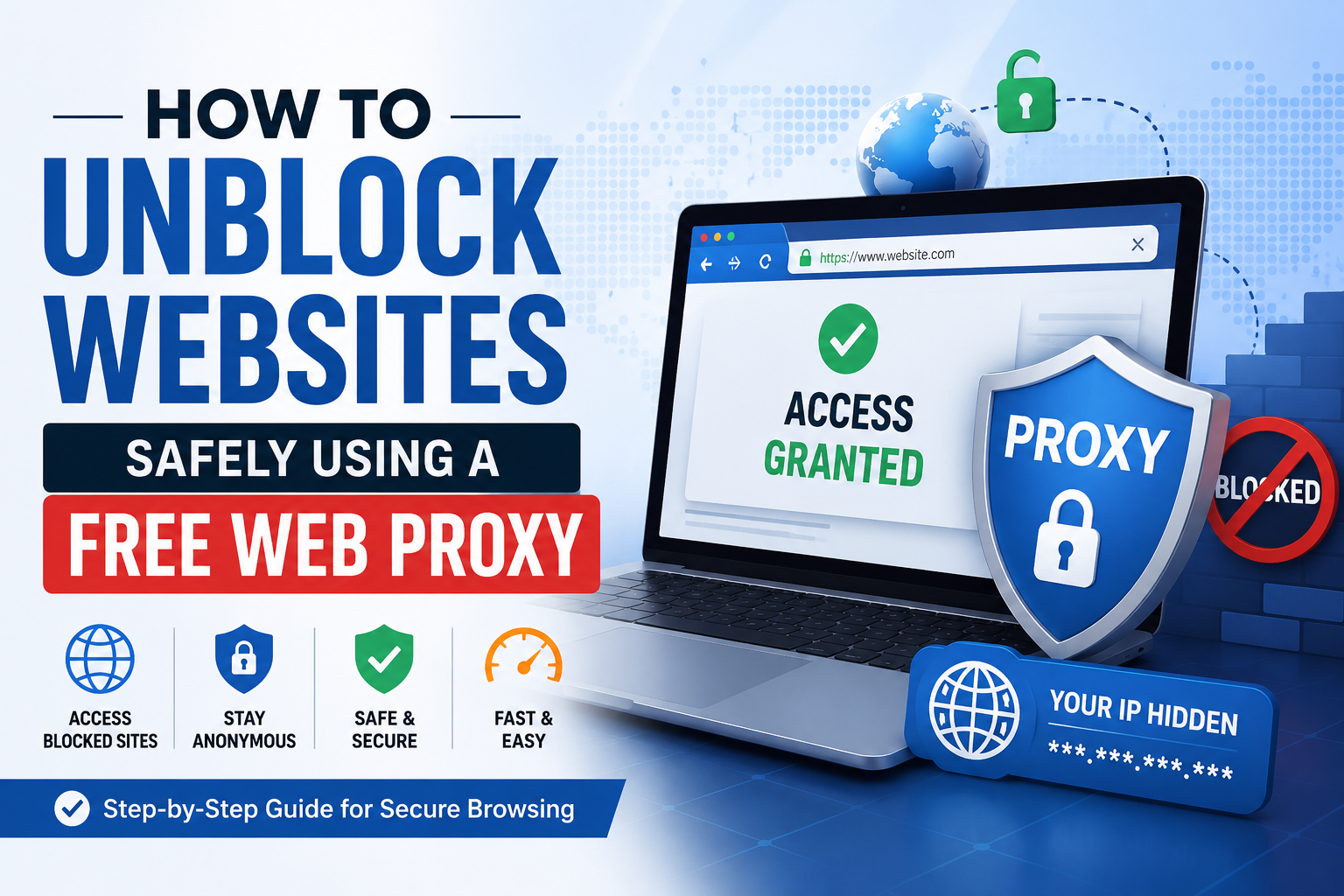
How Does a Free Web Proxy Work?
Although browser proxies appear simple from the user’s perspective, several steps occur behind the scenes each time you access a website.
Step 1: You Visit the Proxy Website
Instead of navigating directly to the destination website, you first open a browser-based proxy service. Many free web proxies provide a search box or URL field where you can enter the address of the website you wish to visit.
For example, browser-based services such as Blue Proxy follow this general workflow by allowing users to submit a destination URL directly through the web interface.
Step 2: Enter the Website Address
After opening the proxy, you type or paste the URL of the website you want to access.
Instead of your browser connecting directly to that website, the request is sent to the proxy server.
Step 3: The Proxy Contacts the Website
The proxy server retrieves the requested webpage on your behalf.
From the website’s perspective, the request originates from the proxy server rather than your personal internet connection.
Step 4: The Website Responds
The destination website sends its content back to the proxy server.
This may include:
- HTML pages
- Images
- Stylesheets
- Scripts
- Other supported web resources
Step 5: The Proxy Delivers the Content
The proxy processes the response and displays the webpage in your browser.
To the user, the browsing experience often feels similar to visiting the website directly, although performance may vary depending on the proxy service and the complexity of the destination website.
Visual Request Flow
You
 │
 ▼
Open Web Proxy
 │
 ▼
Enter Website URL
 │
 ▼
Proxy Server
 │
 ▼
Destination Website
 │
 ▼
Proxy Receives Response
 │
 ▼
Displays Website in Your Browser
Why Many Users Prefer Browser-Based Proxies
Browser-based proxies continue to be popular because they offer a combination of convenience and accessibility. They are especially useful when users need a temporary solution without making changes to their device.
Some common reasons people choose a browser proxy include:
- No software installation required
- Works directly in most modern browsers
- Accessible on shared or public computers
- No administrator privileges needed
- Useful for quick browsing sessions
- Supports many standard websites
- Can provide temporary IP masking
While these advantages make browser proxies practical for everyday use, they are best suited for lightweight browsing tasks rather than activities requiring comprehensive security or device-wide protection.
Step-by-Step Guide: How to Use a Free Web Proxy
Using a browser-based proxy is straightforward, even if you’ve never used one before. Most services follow a similar process and don’t require software installation or account creation.
The steps below outline the general workflow you’ll encounter with many web proxies, including services such as BlueProxy.
Step 1: Choose a Reputable Web Proxy
Your experience starts with selecting a trustworthy proxy provider. Not all free proxies offer the same level of reliability, privacy, or transparency.
When evaluating a service, consider the following:
- HTTPS support
- Clear privacy policy
- No mandatory registration
- Simple and secure interface
- Established reputation
- Mobile compatibility
Choosing a provider that clearly explains how it handles user data is generally a safer approach than using unknown or poorly documented services.
Step 2: Open the Proxy Website
Launch your preferred web browser and navigate to the proxy service.
Most browser-based proxies provide a homepage with a URL field where you can enter the website you want to visit.
Since everything runs inside your browser, there is no need to:
- Install software
- Change browser settings
- Configure network settings
- Download browser extensions
This simplicity makes browser proxies especially useful on public or shared computers.
Step 3: Enter the Website Address
Type or paste the full URL of the website you want to access into the proxy’s address field.
For example:
https://example.comDouble-check the URL before continuing to ensure you’re visiting the intended website.
Step 4: Start Browsing
After submitting the URL, the proxy retrieves the webpage and displays it within your browser.
Depending on the website, you may be able to:
- Read articles
- Browse blogs
- Search the web
- View documentation
- Access educational resources
Performance can vary based on your internet connection, the proxy server’s current load, and the complexity of the destination website.
Step 5: Verify HTTPS When Available
If the website supports HTTPS, ensure the connection is secure.
HTTPS helps protect data exchanged between the browser and supported websites. While it doesn’t provide the same level of protection as a VPN, it’s still an important security feature.
Watch for browser warnings such as:
- Invalid certificates
- Security alerts
- Connection errors
If something appears suspicious, it’s best to avoid entering personal information.
Step 6: Avoid Sensitive Activities
A browser proxy is designed for general browsing—not for handling confidential information.
Avoid using free web proxies for activities such as:
- Online banking
- Accessing financial accounts
- Shopping with payment cards
- Viewing confidential business information
- Logging into sensitive work systems
For these tasks, a trusted direct connection or a reputable VPN is generally a better choice.
Step 7: End Your Session
Once you’ve finished browsing:
- Log out of any accounts you accessed.
- Close the browser tab.
- Clear cookies and cached data if you’re using a shared computer.
- Close the browser completely before leaving the device.
These simple steps help protect your privacy, especially on public or shared systems.
Practical Benefits of Using a Free Web Proxy
Browser-based proxies continue to be popular because they solve specific problems quickly and conveniently. Here are some situations where they can be particularly useful.
1. Access Publicly Available Information
Some public networks limit access to informational websites. A browser proxy may allow you to access publicly available content, provided doing so complies with the network’s policies and applicable laws.
Examples include:
- News websites
- Research articles
- Documentation
- Public forums
2. Browse Without Installing Software
Many users don’t have permission to install applications on:
- Office computers
- School devices
- Library computers
- Shared workstations
Because browser proxies operate entirely online, no installation is required.
3. Mask Your IP Address for Casual Browsing
When using a proxy, the destination website typically sees the proxy server’s IP address rather than your own. This provides a basic layer of anonymity for everyday browsing.
4. Test Website Accessibility
Developers, website owners, and IT teams sometimes use browser proxies to check whether a website is accessible from a different IP address or network environment.
This can be useful for:
- Verifying website availability
- Troubleshooting access issues
- Basic testing from another location
5. Quick and Convenient
One of the biggest advantages of browser-based proxies is speed of setup.
Unlike VPNs, there’s no need to:
- Install applications
- Create an account
- Configure settings
- Restart your device
You can often begin browsing within seconds.
Limitations of Free Web Proxies
While browser proxies offer convenience, they also have important limitations that users should understand.
Browser-Only Protection
A browser proxy only affects traffic that passes through the browser window.
Applications such as:
- Email clients
- Messaging apps
- Cloud storage software
- Games
continue to use your normal internet connection unless configured separately.
Shared Infrastructure
Free proxy services typically serve many users simultaneously.
During busy periods, you may notice:
- Slower page loading
- Temporary delays
- Queueing
- Reduced responsiveness
This is a common characteristic of shared free services.
Limited Encryption
Although many browser proxies support HTTPS websites, they do not encrypt all internet traffic on your device.
A VPN provides device-wide encryption, whereas a browser proxy focuses only on browser sessions.
Website Compatibility
Modern websites increasingly use:
- Advanced JavaScript
- Browser fingerprinting
- Bot detection
- Anti-proxy technologies
As a result, some websites may not function correctly or may restrict access through browser proxies.
Streaming and Multimedia
Browser proxies are generally intended for lightweight browsing rather than high-bandwidth activities.
Users may experience limitations with:
- HD video streaming
- Live broadcasts
- Large downloads
- Online gaming
Performance depends on network conditions and server capacity.
Not Designed for Sensitive Activities
Free browser proxies should not be relied upon for activities involving confidential or financial information.
Examples include:
- Internet banking
- Healthcare portals
- Corporate VPN access
- Government services
- Payment processing
These activities are better suited to trusted direct connections or reputable VPN services.
Proxy vs VPN: Which Should You Choose?
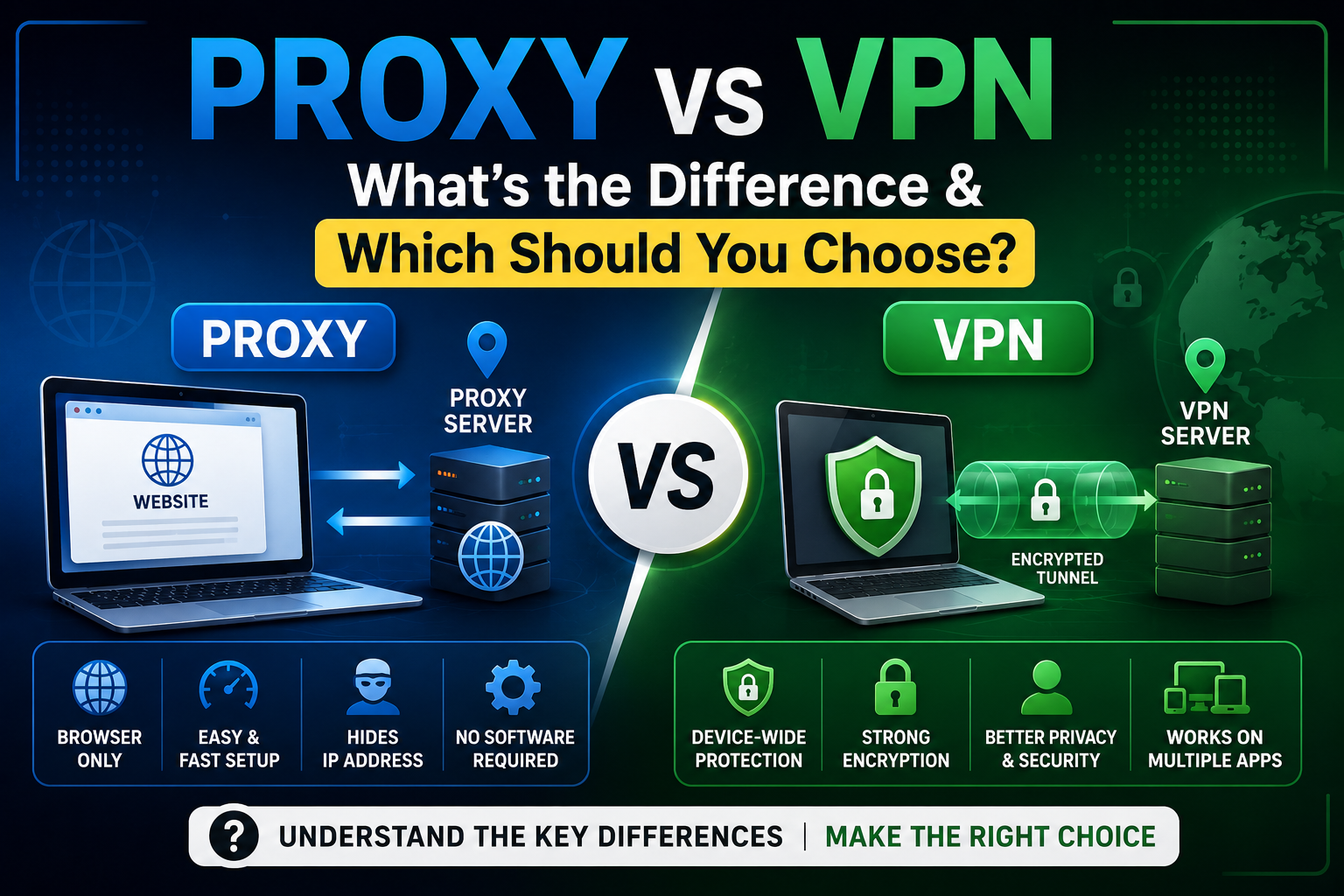
Many people assume proxies and VPNs are interchangeable, but they serve different purposes. Understanding these differences helps you choose the right tool for each situation.
| Feature | Browser Proxy | VPN |
|---|---|---|
| Installation Required | No | Usually Yes |
| Browser-Based | Yes | No |
| Protects Entire Device | No | Yes |
| Encrypts All Traffic | No | Yes |
| Masks IP Address | Yes | Yes |
| Works with Applications | No | Yes |
| Good for Casual Browsing | Yes | Yes |
| Better for Sensitive Activities | No | Yes |
| Suitable for Public Wi-Fi Security | Limited | Yes |
| Typical Cost | Often Free | Free & Paid Options |
Choose a Browser Proxy When You Need To:
- Read publicly available blocked content
- Browse anonymously for a short session
- Access websites without installing software
- Test website accessibility
- Use a shared or public computer
Browser-based services such as BlueProxy fit well into these scenarios because they offer quick access through a standard web browser.
Choose a VPN When You Need To:
- Protect all internet traffic
- Secure public Wi-Fi connections
- Access corporate resources
- Use applications outside the browser
- Improve privacy across your entire device
A VPN creates an encrypted tunnel for all network traffic, making it a more comprehensive privacy solution for ongoing use.
Browser Proxy or VPN: There’s No One-Size-Fits-All Answer
Rather than asking which technology is “better,” it’s more helpful to ask which one best matches your needs.
A browser proxy is ideal for:
- Temporary browsing sessions
- Quick access to websites
- Occasional IP masking
- Users who don’t want to install software
A VPN is better suited for:
- Long-term privacy
- Device-wide protection
- Sensitive online activities
- Secure connections on public networks
Understanding the strengths and limitations of each option allows you to choose the right tool for the task, rather than expecting one solution to solve every privacy or accessibility challenge.
Tips for Staying Safe While Using a Free Web Proxy
A free web proxy can be a convenient tool for anonymous browsing and accessing publicly available content, but using one responsibly is just as important as choosing the right provider. Following a few basic security practices can help reduce risks and improve your browsing experience.
1. Choose a Reputable Proxy Provider
Not all free proxy websites offer the same level of transparency or reliability. Before using any service, check whether it provides:
- HTTPS support
- A clearly written privacy policy
- Contact information or company details
- A professional website with regular updates
Established providers are generally more transparent about how their services operate.
2. Verify HTTPS Connections
Whenever possible, access websites that use HTTPS rather than HTTP. A secure connection helps protect the data exchanged between your browser and supported websites.
Most modern browsers display a lock icon in the address bar for secure connections. If your browser warns about an invalid certificate or an insecure connection, avoid proceeding until you understand the issue.
3. Avoid Entering Sensitive Information
Browser-based proxies are designed for general web browsing—not for handling confidential information.
Avoid using a free proxy for:
- Online banking
- Government services
- Healthcare portals
- Credit card payments
- Accessing confidential work systems
For these activities, a trusted direct connection or a reputable VPN is generally more appropriate.
4. Read the Privacy Policy
A provider’s privacy policy explains what information may be collected, how long it is retained, and how it is used. While many users skip this step, it’s one of the best ways to understand a service before relying on it.
Look for information about:
- Connection logs
- Usage data
- Cookie handling
- Data sharing practices
5. Keep Your Browser Updated
Using the latest version of your browser helps protect against known security vulnerabilities. Updates often include fixes for issues that could otherwise be exploited by malicious websites.
Enable automatic updates whenever possible.
6. Log Out When You’re Finished
If you sign in to any non-sensitive account while using a proxy, remember to log out before closing the browser.
On shared or public computers, also:
- Clear browsing history
- Delete cookies
- Remove cached files
- Close all browser windows
These steps help protect your privacy after your session ends.
7. Enable Multi-Factor Authentication (MFA)
Where available, enable multi-factor authentication for your online accounts. Even if your password is compromised elsewhere, MFA adds an extra layer of protection.
Common Mistakes Users Make
Many people assume a proxy provides complete online anonymity. In reality, browser-based proxies have specific use cases and limitations. Avoiding the following common mistakes can help you use them more effectively.
Mistake #1: Assuming a Proxy Is the Same as a VPN
This is one of the most common misconceptions.
A browser proxy typically routes traffic only for the current browser session, while a VPN encrypts and routes traffic for your entire device.
Mistake #2: Using Unknown Proxy Websites
Not every free proxy service is trustworthy. Avoid websites with:
- Poor security warnings
- Excessive pop-up ads
- No privacy policy
- Unclear ownership information
Choosing a reputable provider reduces unnecessary risk.
Mistake #3: Ignoring HTTPS Warnings
Browser security warnings exist for a reason. If a certificate appears invalid or the connection isn’t secure, avoid entering personal information.
Mistake #4: Logging Into Sensitive Accounts
While a browser proxy can be useful for everyday browsing, it is generally not the right tool for accessing financial or confidential accounts.
Mistake #5: Expecting Every Website to Work
Some websites actively detect and restrict traffic from proxy servers. If a site doesn’t function correctly through a browser proxy, it doesn’t necessarily indicate a problem with the proxy itself.
Frequently Asked Questions
1. What is a free web proxy?
A free web proxy is an online service that retrieves webpages on your behalf through a browser. It allows you to access supported websites without installing additional software.
2. Is using a web proxy legal?
In many countries, using a web proxy is legal. However, users are responsible for complying with local laws, website terms of service, and organizational policies.
3. Are free web proxies safe?
Many reputable proxy providers can be used safely for general browsing. Before using any service, review its privacy policy and avoid transmitting sensitive information.
4. Can a proxy hide my IP address?
Yes. A browser proxy typically presents its own IP address to the destination website instead of your original IP address.
5. Does a proxy encrypt all my internet traffic?
No. A browser proxy generally affects only the browser session. It does not encrypt all traffic across your device like a VPN.
6. Can I use a free proxy on my smartphone?
Yes. Most browser-based proxy websites work with modern mobile browsers on Android and iOS devices without requiring an app.
7. Can I stream videos through a web proxy?
Some streaming services may work, while others actively detect and block proxy traffic. Performance also depends on server capacity and your internet connection.
8. Is a browser proxy faster than a VPN?
It depends on several factors, including server load, network conditions, and the destination website. Because browser proxies protect only browser traffic, they may feel faster for lightweight browsing, but there is no universal speed advantage.
9. Can websites detect that I’m using a proxy?
Yes. Many websites use technologies that can identify or restrict traffic originating from known proxy servers.
10. Do web proxies work with every website?
No. Compatibility varies. Some websites function well through browser proxies, while others may not load correctly due to security measures or technical limitations.
11. Should I use a free proxy for online banking?
No. Financial transactions and other sensitive activities are better performed over a trusted direct connection or a reputable VPN.
12. What’s the difference between a proxy and Tor?
A browser proxy routes your request through a single intermediary server. Tor routes traffic through multiple volunteer-operated nodes to increase anonymity, though it may result in slower browsing speeds.
13. Can a web proxy improve my privacy?
A browser proxy can help mask your IP address from the destination website, but it does not provide complete online anonymity or device-wide protection.
14. What should I look for in a reliable web proxy?
Consider providers that offer:
- HTTPS support
- Transparent privacy policies
- No mandatory registration
- Mobile compatibility
- A clean and easy-to-use interface
15. Can I use BlueProxy for everyday browsing?
BlueProxy is one example of a browser-based web proxy designed for everyday browsing tasks. As with any proxy service, review its current features, privacy practices, and terms of use to determine whether it meets your needs.
Conclusion
Free web proxies remain a practical solution for users who need quick access to publicly available websites without installing software. They are particularly useful for temporary browsing sessions, testing website accessibility, and adding a basic layer of privacy by masking your IP address during browser-based activities.
However, it’s important to understand their limitations. Browser proxies are not a replacement for a VPN, nor do they provide complete anonymity or device-wide encryption. For sensitive activities such as online banking, accessing confidential business systems, or transmitting personal information, a trusted direct connection or a reputable VPN remains the better choice.
If you’re looking for a straightforward browser-based proxy, BlueProxy is one option worth considering. Its simple interface, no-installation approach, and browser-based workflow make it suitable for everyday browsing and accessing supported websites. Before choosing any proxy service, compare its features, review its privacy policy, and ensure it aligns with your specific browsing requirements.
By selecting a reputable provider and following the safety practices outlined in this guide, you can make informed decisions and enjoy a more secure, convenient browsing experience with a free web proxy.